Identity: the new
frontier of cybersecurity in 2026
Cyberattacks no longer target your servers — they target your employees’ identities. Discover why passwords alone no longer protect anything, and how WatchGuard AuthPoint secures your access with MFA and a Zero Trust approach.
The new battlefield: identity
The traditional security perimeter — firewall, antivirus, internal network — has been shattered by remote work, the cloud, and SaaS applications. Attackers no longer try to break through robust infrastructure: they go straight after users’ identities. A stolen credential or a reused password is enough to get into a system and access sensitive data.
In response, the Zero Trust model has become essential: never trust by default, always verify every user, every device, and every connection attempt. Identity security is becoming the foundation of any cybersecurity strategy — and MFA is its cornerstone.
Key takeaway
Cyberattacks now target identities rather than infrastructure. Zero Trust and MFA are no longer optional — they are the foundations of SMB cybersecurity.
Why passwords are no longer enough
For a long time, the password was the only barrier between a user and their data. That barrier has become extremely fragile, for five main reasons:
Credential theft
Databases of stolen credentials circulate massively on the Dark Web. A reused password becomes a gateway into the company.
Dark Web
Phishing
Phishing remains one of the most effective attack vectors. Increasingly sophisticated campaigns, sometimes AI-assisted, fool even vigilant users.
Vector #1
Credential stuffing
Automated tools test massive volumes of username/password combinations harvested from previous leaks across multiple platforms.
Automated
Password reuse
A single password compromised on a third-party service can grant access to several of the company’s critical systems.
Cascading risk
Beyond technical tools, attackers also exploit the human factor: fraudulent calls, fake technical support, impersonation of employees. Several recent high-profile incidents were triggered by vishing attacks (voice phishing), showing that even specialized security companies are not immune.
Key takeaway
A password alone no longer provides sufficient protection. But robust MFA neutralizes the vast majority of identity-based attacks.
Identity at the core of the Zero Trust strategy
The founding principle of Zero Trust can be summed up in one phrase: “Never Trust, Always Verify” — never trust by default, always verify. No user, device, or application should be considered trustworthy simply because it is “inside” the company network.
This approach stands in contrast to the traditional model, where a user connected to the VPN or internal network was implicitly considered legitimate. In a world where credentials can be stolen, that implicit trust becomes a gaping vulnerability.
Continuous verification
Every access to a sensitive resource can be re-evaluated based on context, not just at the moment of login.
Context checks
Location, time of login, network type: multiple signals analyzed to detect anomalies.
Trusted devices
Valid credentials entered from an unknown device represent a far higher risk than a login from a recognized machine.
Dynamic access decisions
Zero Trust places identity, context, and device at the center of every access decision, in real time.
Key takeaway
Zero Trust is not a tool — it’s a security philosophy that places identity at the center of every access decision.
WatchGuard AuthPoint MFA
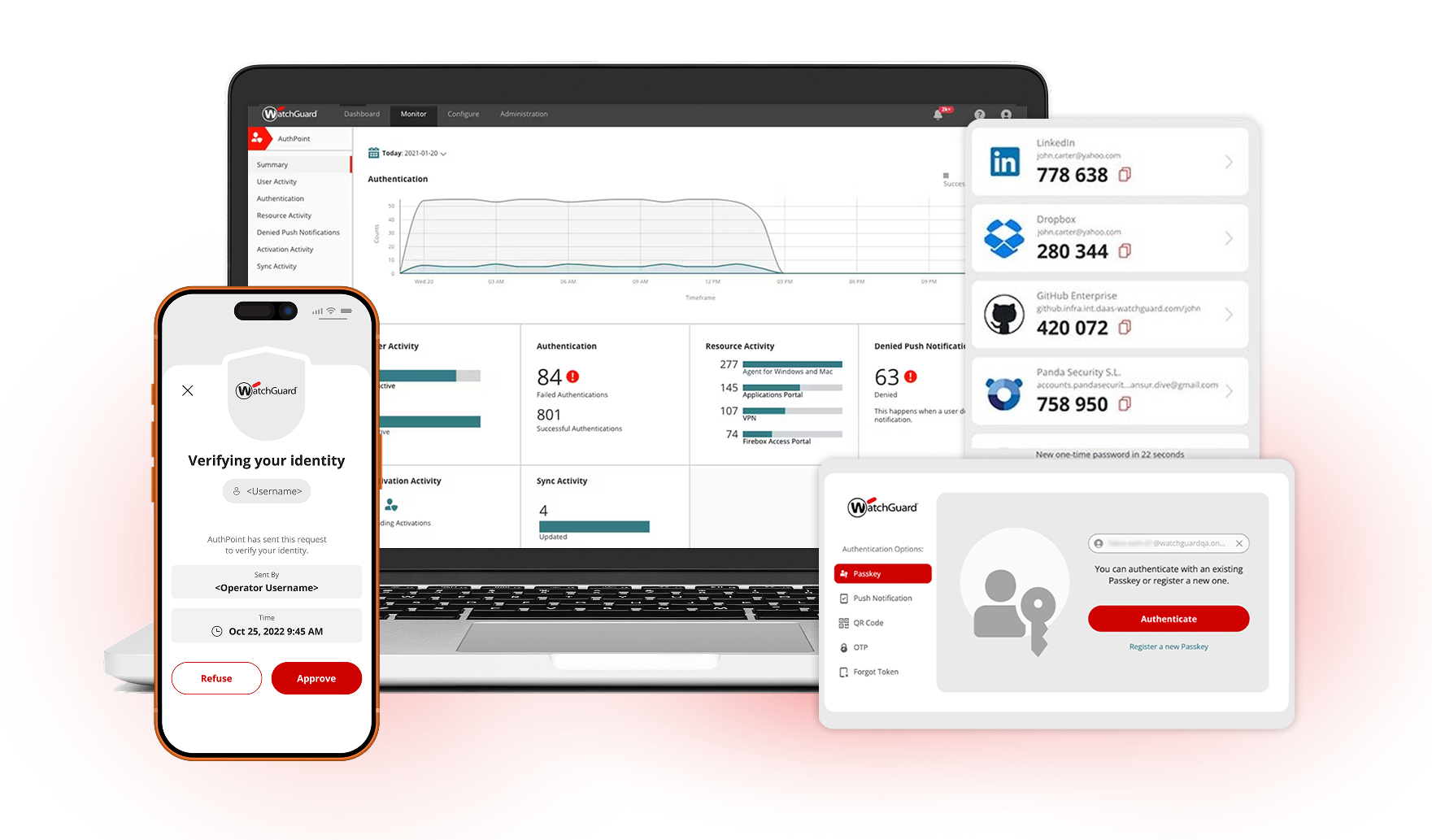
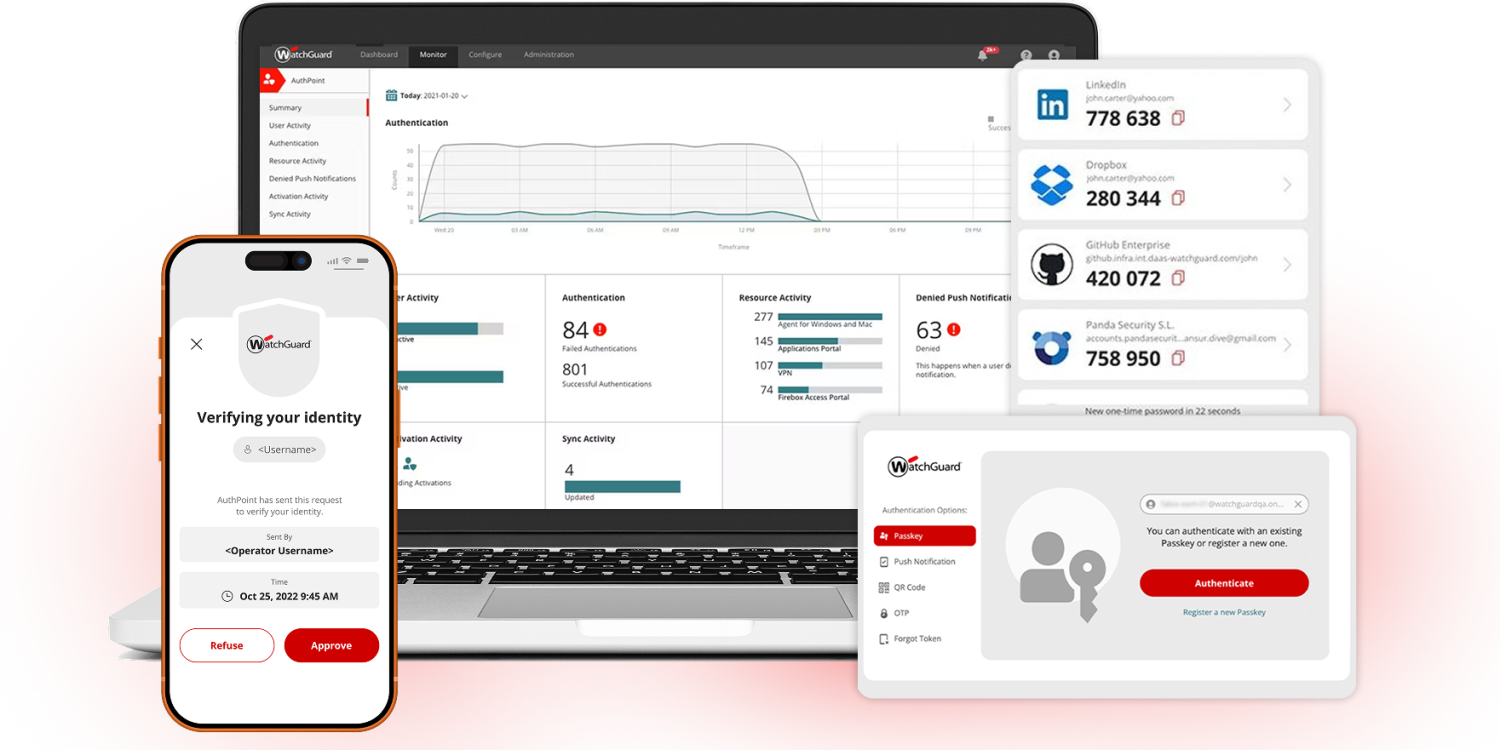
WatchGuard AuthPoint is a multi-factor authentication (MFA) solution designed to concretely address Zero Trust challenges, with a pragmatic approach tailored to SMBs and their IT partners.
Multi-factor authentication (MFA)
A password alone can be stolen without the user ever noticing. AuthPoint requires a second factor, drastically reducing the risk of compromise.
Example: an employee enters their password on a fake phishing site. Without MFA, the attacker gets in. With AuthPoint, they’re missing the second factor.
Push notifications
Instead of entering a code, the user receives a notification on their smartphone and approves it with a single tap. Fast, smooth, intuitive.
Example: an accountant logs into payroll software, approves the notification received on their phone, and immediately accesses their workspace.
QR codes
For shared workstations or terminals without direct access to notifications, the user scans a QR code with their mobile app to confirm their identity.
Example: on a workshop floor, each operator scans a QR code with their personal phone to authenticate on a shared terminal.
OTP (one-time passwords)
A reliable, widely compatible fallback option that works even without an internet connection on the mobile device.
Example: a technician without data connectivity uses a locally generated OTP code to log into the company VPN.
Phishing-resistant FIDO2 security keys
Public-key cryptography tied to the legitimate domain renders real-time phishing ineffective. One of the most robust protections available.
Example: executives, prime targets for “CEO fraud,” are equipped with FIDO2 keys to secure their banking access.
Biometric authentication
Fingerprint or facial recognition, already built into smartphones: a fast factor intrinsically tied to the user.
Example: a salesperson confirms their CRM login with a fingerprint, without typing any code.
Unique mobile device DNA
AuthPoint generates a unique cryptographic “DNA” for each registered device, preventing the app from being cloned onto another device.
Example: even if an attacker installed the app on another phone, the unique device DNA would prevent any impersonation.
External MFA for Microsoft Entra ID
AuthPoint integrates as an external MFA provider for Microsoft Entra ID, bringing FIDO2, device DNA, and adaptive policies to your Microsoft 365 environment.
Example: an SMB configures AuthPoint as external MFA for Entra ID, strengthening all Microsoft 365 access with phishing-resistant factors.
SSO portal
The Single Sign-On portal centralizes access to company applications behind a single, secure authentication step.
Example: an employee logs in once in the morning and then has direct access to email, CRM, and collaboration tools.
Centralized cloud management
AuthPoint is administered through a single cloud console, accessible from anywhere, with no additional infrastructure to maintain.
Example: the IT manager adds an employee, assigns their permissions, and configures their MFA in a few clicks from the console.
Key takeaway
AuthPoint MFA combines push, OTP, QR code, biometrics, and FIDO2 with native integration into Microsoft Entra ID and simplified cloud administration.
Total Identity Security: beyond MFA
MFA acts at the moment of login. But a credential can be compromised long before any login attempt is detected — for example, when it is resold on the Dark Web following a leak at a third-party service.
All AuthPoint MFA features
Push, OTP, QR code, FIDO2, biometrics, device DNA, Entra ID MFA, SSO, and cloud management — the complete foundation, included.
Dark Web credential monitoring
Continuous scanning of leak databases to detect whether credentials linked to the company domain have appeared.
Proactive detection of compromised accounts
Identify at-risk accounts before they are exploited by an attacker.
Reduced risk from data leaks
A passive leak becomes a concrete action: immediate reset of the affected password.
Why MSPs are adopting AuthPoint
For Managed Service Providers (MSPs) and integrators supporting multiple SMB clients, AuthPoint offers structural advantages.
Multi-tenant management
Manage identity security for all your clients from a single environment, without juggling separate consoles.
Single cloud console
Centralized policies, users, and configurations, significantly simplifying day-to-day operations.
Fast deployment
No complex hardware infrastructure: deployment in hours rather than weeks.
130+ integrations
VPNs, cloud platforms, business tools: cover nearly all authentication needs without custom development.
Simplified administration
Adding users, managing devices, enforcing policies: all centralized and automatable.
Lower operational costs
Less manual access management means higher profitability for the MSP and more predictable service costs for the client.
An SMB, Microsoft 365 and a remote VPN
Consider an SMB with 50 employees, using Microsoft 365 for email and collaborative documents, plus a VPN allowing sales and technical teams to connect remotely.
Access to Microsoft 365 and the VPN relies solely on username + password. Several employees reuse their work passwords on personal services, and some use overly simple passwords.
A phishing email impersonates Microsoft 365; a reused password leaked elsewhere is tested via credential stuffing against the VPN; an attacker logs in from abroad without triggering any alert and accesses internal files.
AuthPoint configured as external MFA for Microsoft Entra ID, mandatory push MFA on the VPN, adaptive policies (geolocation, device type), and FIDO2 keys for privileged accounts.
Stolen credentials blocked at the second factor, suspicious out-of-region logins automatically flagged, privileged accounts nearly immune to phishing, and centralized management for the IT team.
AuthPoint MFA vs Total Identity Security
| Feature | AuthPoint MFA | Total Identity Security |
|---|---|---|
| Push notifications | ✓ | ✓ |
| OTP | ✓ | ✓ |
| QR code | ✓ | ✓ |
| Phishing-resistant FIDO2 keys | ✓ | ✓ |
| Unique mobile device DNA | ✓ | ✓ |
| SSO portal | ✓ | ✓ |
| External MFA for Microsoft Entra ID | ✓ | ✓ |
| Centralized cloud management | ✓ | ✓ |
| ThreatSync Credential Access | — | ✓ |
| Dark Web credential monitoring | — | ✓ |
Why identity is the new perimeter
Identity has become the new security perimeter for businesses. Firewalls and antivirus remain essential, but are no longer enough to protect an organization whose entry points now sit in every employee’s pocket.
Operational Zero Trust: continuous verification of the user, device, and connection context
Phishing-resistant MFA: FIDO2 and device DNA against the most advanced attacks
Microsoft Entra ID integration: strengthen your Microsoft 365 environment without rebuilding it
Proactive Dark Web monitoring: get ahead of compromise before it’s exploited
Single cloud console: fast deployment, simplified administration, controlled costs
Built for SMBs: a simple, modern solution with no heavy infrastructure to maintain
Secure your employees’ identities
Want to find out how to effectively secure your employees’ identities? Contact Blink iT Solutions for a personalized demonstration of WatchGuard AuthPoint.
Contact Our Team
Dedicated commercial support · Certification training available · WatchGuard Partner Portal
Blink IT Solutions — WatchGuard Partner in Morocco
Your trusted cybersecurity partner